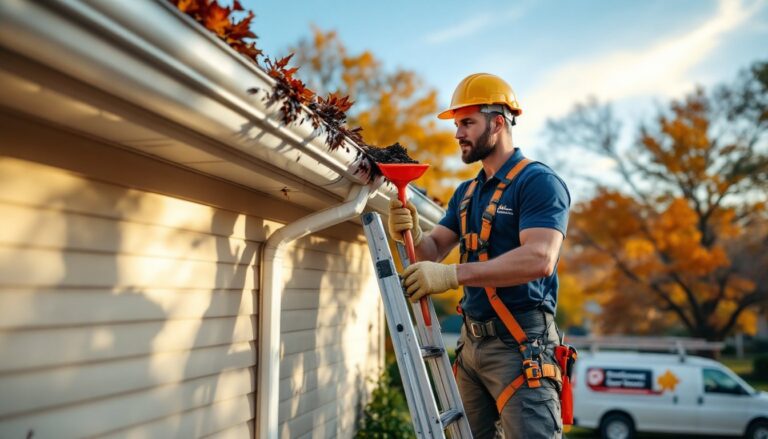
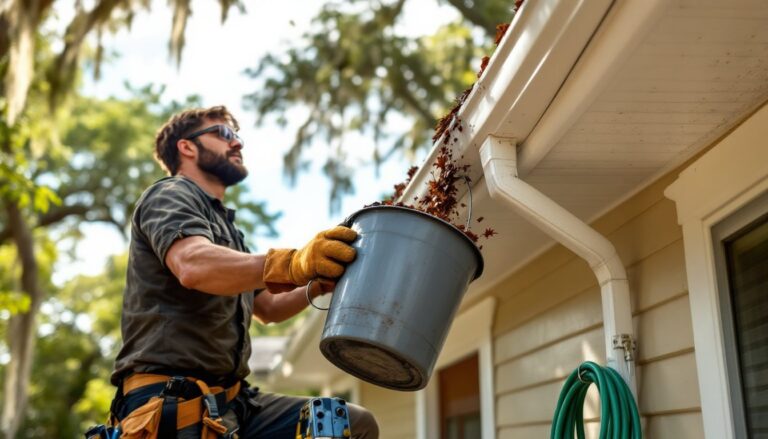
Clogged gutters aren’t just a nuisance, they’re a $1,000+ repair waiting to happen. Overflow can rot fascia boards, flood basements, and crack foundations. But let’s be honest: remembering to clean gutters twice a year (spring and fall, minimum) ranks somewhere between “replace smoke detector batteries” and “rotate tires” on the homeowner to-do list. That’s where gutter cleaning scheduling software steps in. These tools automate reminders, track maintenance history, and even coordinate with contractors so your gutters stay clear without you needing to scribble “clean gutters???” on a calendar you’ll ignore.
Table of Contents
ToggleKey Takeaways
- Gutter cleaning scheduling software automates maintenance reminders and prevents costly water damage—clogged gutters can lead to foundation repairs costing $2,000+ and rotted fascia boards running $500–$1,200 in repairs.
- Set up a gutter cleaning schedule at least twice yearly (spring and fall), or quarterly if you have overhanging trees, using reminders set two weeks before your target service date.
- Essential features in gutter cleaning scheduling software include custom reminder intervals, photo storage, weather-based alerts, and contractor integration for hands-off maintenance tracking.
- Free options like BrightNest and Google Calendar with IFTTT work well for DIYers, while premium tools like HomeZada ($29/year) offer multi-property support, cost tracking, and professional service coordination.
- Documented gutter maintenance logs can satisfy homeowner insurance policy requirements and protect you against negligence claims when property damage occurs.
- A hybrid approach combining biannual Google Calendar reminders with a free photo-logging app balances accountability and simplicity without ongoing subscription costs.
What Is Gutter Cleaning Scheduling Software?
Gutter cleaning scheduling software is a digital tool, app, web platform, or home maintenance suite, that sends timed reminders for gutter cleaning and logs when the work was done. Some are standalone apps focused solely on gutters. Others are part of broader home maintenance platforms that track HVAC filters, roof inspections, and seasonal tasks.
Most systems let you set custom intervals (quarterly, biannually, or triggered by local weather patterns) and store photos, receipts, and service notes. Advanced versions integrate with contractor booking platforms or pull weather data to suggest cleanings after heavy storms. Think of it as a digital maintenance log that nags you at the right time, so debris doesn’t pile up and turn into a soggy, leaf-filled dam.
For DIYers, these tools prevent the “I thought I did it last spring” guessing game. For homeowners who hire pros, they make it easy to schedule repeat visits and track spending year over year.
Why Homeowners Need Automated Gutter Cleaning Reminders
Gutters are out of sight, out of mind, until water cascades over the edge during a rainstorm. By then, you’re looking at potential damage: rotted wood, eroded landscaping, or basement seepage. Automated reminders solve the timing problem.
Prevent costly water damage. A single clogged downspout can redirect thousands of gallons against your foundation. Repair costs for foundation cracks or crawlspace flooding often start around $2,000 and climb fast. Regular cleaning, twice a year minimum, more if you have overhanging trees, keeps water flowing where it should.
Protect fascia and soffit boards. Standing water in clogged gutters rots fascia boards (the vertical trim behind the gutter) and can wick moisture into roof decking. Replacing a 20-foot section of rotted fascia and soffit runs $500–$1,200 in materials and labor, depending on your region.
Avoid pest nesting. Wet leaf litter is prime real estate for mosquitoes, wasps, and even rodents. Scheduling software ensures you clear debris before critters move in.
Maintain insurance coverage. Some homeowner policies require documented maintenance. A logged history from contractor platforms like Angi or your scheduling app can prove you weren’t negligent if a claim arises.
Top Features to Look for in Gutter Maintenance Software
Not all scheduling tools are created equal. Here’s what separates a useful app from calendar clutter.
Custom reminder intervals. Your gutter cleaning frequency depends on tree cover and climate. Look for software that lets you set quarterly, biannual, or weather-triggered alerts. Some apps pull local precipitation data and suggest cleanings after heavy rain or windstorms.
Photo and document storage. Snap before-and-after shots from your ladder or save contractor invoices. This visual log helps you spot recurring problem areas (like a downspout that clogs every fall) and provides records if you sell the home.
Contractor integration. Premium platforms connect with local service providers, auto-scheduling repeat visits and storing their contact info. If you hire pros, this beats hunting for last year’s invoice to find the company name.
Multi-property support. Own a rental or vacation home? Choose software that tracks multiple addresses. Each property can have its own schedule and maintenance history.
Weather-based alerts. Advanced gutter cleaning software pulls real-time weather feeds and sends push notifications after storms likely to fill gutters with leaves or debris.
Maintenance cost tracking. Budget-conscious homeowners appreciate tools that log what you spent and when. Over a few years, you’ll see whether DIY or hiring out makes financial sense.
Best Gutter Cleaning Scheduling Apps for Homeowners in 2026
Here’s a practical rundown of options, from free to feature-packed.
BrightNest (Free)
A basic home maintenance tracker with preset tasks including gutter cleaning. Good for DIYers who want simple email or app reminders. No contractor booking, but it’s free and easy to set up in under five minutes.
HomeZada ($29/year)
Tracks gutters alongside other home systems, HVAC, roof, appliances. Stores receipts, photos, and lets you export a full maintenance report if you sell. Particularly useful for managing multiple properties or coordinating with a property manager.
Centriq (Free/Premium $4.99/month)
Originally designed for appliance manuals, but the premium tier adds customizable maintenance schedules. You can attach photos, set recurring tasks, and get push notifications. Clean interface, though it lacks direct contractor integration.
Thumbtack or TaskEasy (Pro booking platforms)
Not traditional scheduling apps, but both let you book recurring gutter cleaning with local pros. TaskEasy focuses on outdoor maintenance and can auto-schedule seasonal cleanings. Thumbtack requires manual rebooking but makes finding vetted contractors straightforward.
Google Calendar + IFTTT (DIY option)
Set biannual Google Calendar events (e.g., April 15 and October 15) with email alerts two weeks prior. Use IFTTT (If This Then That) to trigger reminders based on local weather APIs. Free, but requires manual setup and no photo storage.
How to Set Up Your Gutter Cleaning Schedule
Here’s a step-by-step for getting your system running.
1. Assess your gutter cleaning frequency.
Standard advice is twice a year, spring (post-pollen) and fall (post-leaf drop). Homes under oak, pine, or maple trees may need quarterly cleanings. If you’re in a dry climate with minimal tree cover, annual cleaning might suffice. Walk your property and note overhanging branches: those sections clog first.
2. Pick your tool.
Choose an app or platform from the list above, or use a simple calendar if you prefer. The key is consistency, pick something you’ll actually check.
3. Set initial reminders.
Add cleanings at least two weeks before the ideal service date. This gives you time to DIY on a weekend or book a contractor before their schedule fills. For example, set an April 1 reminder for a mid-April cleaning.
4. Log your first cleaning.
Whether you do it yourself or hire out, record the date, note any issues (sagging hangers, a leaky seam), and snap photos. This baseline helps you track changes over time.
5. Adjust based on conditions.
After a year, review your logs. Did you clean in October but find heavy buildup by December? Move the fall cleaning later or add a third session. Many home service platforms like HomeAdvisor offer seasonal guides that can inform your timing.
6. Link weather alerts (optional).
If your software supports it, enable storm-based notifications. A heavy windstorm in July might dump a season’s worth of debris overnight.
DIY Scheduling vs. Professional Software Solutions
You don’t need a paid app to keep gutters clean, but dedicated software offers real advantages.
DIY calendar approach
Pros: Free, simple, no learning curve. Set recurring events in your phone or wall calendar.
Cons: Easy to dismiss or forget. No photo logs, no cost tracking, and no contractor integration. If you travel or juggle a busy schedule, reminders get ignored.
Free home maintenance apps
Pros: Centralize all home tasks (gutters, furnace filters, deck staining) in one place. Basic versions cost nothing.
Cons: Feature limits, often no weather integration or contractor booking. Ads or upsell prompts can clutter the interface.
Premium gutter cleaning software or home maintenance suites
Pros: Weather-triggered alerts, photo storage, multi-property tracking, and contractor coordination. Platforms like ImproveNet connect you with local pros and store project histories. Worth the $30–$60 annual cost if you manage rentals or prefer hands-off maintenance.
Cons: Subscription fatigue. If you’re already using project management tools, another app feels redundant.
Hybrid approach
Many homeowners set biannual Google Calendar reminders and use a free app like BrightNest for logging and photos. This balances simplicity with accountability without recurring fees.
Conclusion
Gutter cleaning won’t make your Instagram feed, but it’s one of the highest-ROI maintenance tasks you can do. Scheduling software, whether a free app, a premium suite, or a souped-up Google Calendar, turns “I’ll get to it eventually” into a recurring, trackable habit. Pick a system that fits your workflow, set your first reminder today, and let the software nag you so your gutters don’t.